Keypad Codes
Users enter an authorized code at the gate to request access.



Gate access control determines who can command an automatic gate to open and how that command is sent. This guide explains keypads, remotes, cards and fobs, telephone and video entry systems, smartphone access, vehicle detection, credential management and how access equipment works with the gate operator.

Depending on the property, that command may come from a keypad code, remote transmitter, card or fob, telephone or video entry system, smartphone application, managed credential or vehicle-detection device. The access-control equipment sends a command to the gate operator, but it does not replace the gate operator's required safety and entrapment-protection systems.
Different properties need different ways to identify users, authorize entry and manage who can operate the gate.
Users enter an authorized code at the gate to request access.
Handheld or vehicle-mounted transmitters send a wireless command to a compatible receiver.
Individual credentials can be assigned to authorized residents, employees or users.
Visitors contact an occupant or authorized user who can decide whether to grant access.
Compatible connected systems may allow authorized gate control, monitoring or user management from a phone or web interface.
Loops and other vehicle detectors can trigger or influence gate operation for entry, exit or traffic-control functions.
Keypads are one of the simplest ways to provide controlled gate access without handing every user a physical remote. The system may use a single shared code or support separate user codes depending on the equipment.


Remotes are convenient for homeowners, employees and frequent users because the gate can be activated from the vehicle. The transmitter must be compatible with the receiver and correctly programmed into the access system.
Reduced range or intermittent operation may come from a weak remote battery, receiver or antenna issues, interference, programming or other system conditions rather than the gate operator itself.
Proximity cards and fobs can give individual users their own credential. That makes them useful for HOAs, apartments, commercial properties, gated facilities and other locations where access needs to be added or removed by user.
Credentials can be associated with specific users when supported by the access controller.
A lost or returned credential can often be disabled without affecting every other authorized user.
Credential systems are especially useful where residents, tenants, employees or vendors change over time.
Entry systems are useful when visitors need to request access rather than already having a permanent credential.
A visitor selects or contacts an occupant, resident or authorized party who can decide whether to release the gate.
Compatible systems can add visual or audio communication so the person granting access has more information about the visitor.
Compatible connected systems can add remote control, user management, activity information or property-management features. Available functions depend on the specific controller, service and gate system.
Authorized users may be able to operate a compatible gate from a smartphone or connected interface.
Managed platforms may allow credentials or permissions to be changed without physically visiting the gate controller.
Larger systems may integrate gates, doors, entry devices and other access points under one management platform.
Vehicle loops and other detectors can tell the gate system that a vehicle is present. Depending on the installation, detection may be used for free exit, entry logic, hold-open behavior or traffic control.

A good access-control plan considers what happens when a remote is lost, an employee leaves, a tenant moves, a contractor finishes work or a code has been shared too widely.
Delete unused credentials when the installed system supports individual user management.
Widely shared codes become difficult to control as more people learn them.
Remotes, cards and fobs should be returned or disabled when a user no longer needs access.
Temporary or managed credentials can be more practical than permanently sharing a primary resident or employee credential.
Remotes, keypads and smartphone access can provide convenient control for family members and regular visitors.
Long driveways may benefit from remote access, keypads, free-exit detection and reliable outdoor equipment.
User credentials, telephone entry and managed access can make resident turnover easier to control.
Employee credentials, visitor entry, schedules and managed access may be more important than simple shared-code operation.
An access device may stop commanding the gate even though the gate operator itself can still run. Diagnosing the system means checking the command device, its power, communication path, receiver or controller and the operator input.
Keypads, intercoms, readers, receivers and network devices may require their own power source or connection.
Wireless range, wiring, cellular service, network connection or another communication path may affect operation.
A valid device can still fail to open the gate if the credential, receiver, schedule or controller programming is incorrect.
A keypad, remote, card reader or app tells the operator that an authorized user wants the gate to move. The safety system performs a different job by protecting identified entrapment areas and monitoring safe operation.
Determines whether a user, credential or detection device is allowed to command gate movement.
Uses approved monitored protection such as photoelectric sensors or sensing edges as required for the gate and operator.
A gate that will not respond to a keypad or remote does not automatically have a bad gate operator. Testing another command source can help separate an access-control problem from an operator or power-system problem.
Check the individual transmitter, battery and programming before assuming the receiver or gate operator has failed.
The receiver, antenna, power, wiring or operator input may require diagnosis.
The keypad may be functioning while the relay, wiring, controller or operator input is not completing the command.
That often helps narrow the problem to the access device or communication path that is not working.
A family residence and a large HOA require very different credential-management capabilities.
Frequent users may need permanent credentials while visitors may be better served by an entry or call system.
Managed properties benefit from equipment that makes adding and removing users practical.
Power, wiring, cellular coverage, network access and driveway distance can affect which systems are practical.
Access equipment must be compatible with the operator and the way the system accepts commands.
Consider how users, visitors and emergency access will be handled when power or communication is unavailable.
Dynamic Door Service can diagnose and service gate access controls alongside the gate operator, power system, vehicle detection and safety equipment. That makes it easier to determine whether a failure starts at the keypad, remote, receiver, wiring, controller, operator or another part of the system.
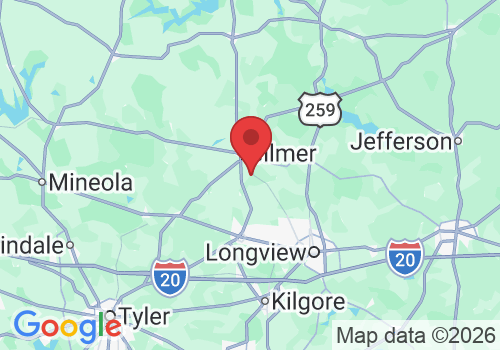
Dynamic Door Service provides automatic gate and access-control diagnostics throughout our East Texas service area. We can evaluate the access device, receiver, wiring, controller, operator, power system and related gate equipment to find where the problem begins.
Copyright 2026. DYNAMIC DOOR SERVICE TX LLC. All Rights Reserved.


