24/7 EMERGENCY SERVICE AVAILABLE

LogoLogoLogoLogoLogoLogoLogoLogoLogoLogoLogoLogoLogoLogoLogoLogoLogoLogoLogoLogoLogoLogoLogoLogoLogoLogoLogoLogoLogoLogoLogoLogoLogoLogoLogoLogoLogoLogoLogoLogo
Automatic Gate Troubleshooting

Automatic Gate Opens But Won't Close

If your automatic gate opens normally but refuses to close, the problem may involve a safety sensor, vehicle detector, hold-open input, auto-close setting, gate limit, obstruction or operator fault. This guide explains where to start and which problems should be handled by a gate technician.

Photo Eyes Safety Edges Vehicle Loops Auto-Close Timer Gate Limits Control Inputs
Vehicle approaching an automatic driveway gate
Common Gate Problem The gate reaches the open position but will not begin or complete its normal closing cycle.
Quick Answer

Why Will an Automatic Gate Open But Not Close?

Start with anything telling the operator that it is unsafe or unnecessary to close.

Common causes include a blocked or misaligned closing photo eye, activated safety edge, vehicle sitting over a detection loop, maintained open command from an access-control device, disabled auto-close timer, gate-position or limit problem, physical resistance, or an operator/controller fault. Do not bypass safety equipment to force the gate closed.

Narrow Down the Failure

Opening Normally Is an Important Clue

If the gate can move to its open position, the operator is receiving at least some power and is capable of moving the gate. That makes close-direction safety inputs, open commands, position sensing, mechanical resistance and controller conditions important places to investigate.

Never Tries to Close

Look toward auto-close settings, held-open inputs, vehicle detection, safety status and whether the operator recognizes the gate as fully open.


Starts Closing, Then Reopens

A closing safety device, obstruction or excessive mechanical resistance may be causing the operator to stop or reverse.

Only Closes With Special Input

Depending on the operator, this may point toward safety-device, programming or input-status problems that require diagnosis.

Start Without Bypassing Anything

Safe Checks You Can Make Before Calling for Service

Stay outside the gate's travel and pinch areas. Do not disconnect safety devices or alter operator wiring. A few simple observations may still help narrow down the problem.

  • Make sure no person, vehicle or object is in the gate's travel path.
  • Look for a visibly blocked, damaged or misaligned photo eye.
  • Check for vegetation, debris or another object crossing a sensor beam.
  • Move vehicles away from known loop-detector areas near the gate.
  • Notice whether a keypad, entry system or other device appears to be holding the gate open.
  • Look at the operator display or diagnostic LEDs for faults or active inputs.
  • Notice whether the problem began after heavy rain, landscaping, construction or electrical work.
Stop operating an unsafe gate.

If the gate is unstable, has damaged hardware, moves unexpectedly, exposes electrical components or repeatedly reverses against resistance, have the complete gate system inspected.

One of the First Places to Check

Closing Photo Eyes and Safety Edges

Automatic gate systems may use monitored photoelectric sensors, reversing edges and inherent obstruction detection to help protect against entrapment during gate movement.

Blocked Beam

A vehicle, vegetation, debris or other object crossing the closing-direction beam may keep the gate from closing.

Misalignment or Fault

A monitored photo eye that is misaligned, disconnected or faulted may cause the operator to block normal automatic closing.

Activated Safety Edge

A closing-direction edge input can stop or reverse movement when the system detects activation.

Do not bypass a gate safety sensor. If a monitored safety device is faulted, correct the obstruction, alignment, device, wiring or system condition rather than defeating the safety input.
Read the Automatic Gate Safety Guide →
The Gate May Think a Vehicle Is Present

Vehicle Detection Can Hold a Gate Open

Vehicle detectors may be configured to keep a gate from closing while a vehicle is detected in a protected area. If the input remains active, the operator may continue to wait before closing.

Vehicle on the Loop

A car, truck, trailer or equipment positioned over the detection area may intentionally hold the gate open.

Detector Stays Active

A detector or connected input that remains active may continue telling the operator not to close.

Loop or Wiring Fault

Damaged detection equipment can require testing at the operator and detector system.

Vehicle detection and entrapment protection are different functions. The system should use each device for its intended purpose.
The Controller May Still Be Receiving an Open Command

Access-Control Inputs Can Prevent Closing

A gate may stay open while an OPEN input remains active. Depending on the installation, that signal can come from entry equipment, receivers, free-exit devices or other connected controls.

Keypad / Entry System

A relay output may continue sending an open command.

Radio Receiver

A receiver input may remain active unexpectedly.

Free-Exit Device

An exit detector can command the gate to open or remain open.

Timed Hold-Open

Some connected systems can intentionally hold an entrance open.

Read the Gate Access Control Guide →
Sometimes the Gate Is Waiting for a Command

Check Whether the Auto-Close Timer Is Enabled

Many gate operators can be configured either to close after an adjustable delay or to wait for another command. If automatic closing is disabled, the gate may open normally and remain open.

Closes From a Valid Manual Command

If the gate closes correctly when commanded but never closes automatically, timer programming or another hold-open condition becomes more likely.

Still Will Not Close

If a valid close command is also blocked, safety inputs, active controls, limits or operator faults deserve closer attention.

Timer settings are operator-specific. Do not randomly change switches or programming values without the correct manual for the installed model.
The Controller Must Know Where the Gate Is

Gate-Position or Limit Problems Can Interrupt Normal Sequencing

Operators use physical limits, position sensors or learned travel information to determine where the gate is in its cycle. Incorrect position information can interfere with normal operation.

Gate Stops Short of Full Open

The controller may not recognize the expected fully open condition.

Limit Status Looks Wrong

Operator diagnostics may reveal whether the board sees gate position correctly.

Travel Was Recently Changed

Mechanical adjustment or programming work can affect physical or learned travel positions.

The Gate Itself May Be the Problem

Binding, Dragging or an Obstruction Can Cause a Stop or Reversal

A gate should move through its intended path without abnormal resistance. When the operator detects an obstruction or excessive resistance, the system may stop or reverse.

Slide-Gate Travel

Debris, wheels, guides or alignment can increase resistance.

Swing-Gate Hinges

Gate sag or hinge resistance can make closing harder than opening.

Drive Components

Chains and other drive components can create problems if damaged or binding.

Physical Obstruction

Rocks, branches, damaged fencing or other objects can interfere with travel.

Less Obvious, But Still Possible

Power, Batteries and Charging Can Affect Gate Operation

Because the gate successfully opens, a complete loss of power is less likely. Weak batteries, charging problems, voltage issues or controller faults can still contribute to inconsistent operation.

Weak Battery Capacity

Battery voltage alone does not always show how well the battery performs under operating load.

Charging Problem

AC or solar charging problems can gradually reduce available stored energy.

Controller Fault

Diagnostics can help separate power problems from active inputs or safety conditions.

Read the Automatic Gate Battery Guide →
Gate Type Changes the Mechanical Checks

Swing and Slide Gates Can Have Different Closing Problems

Swing Gate

Look for gate sag, hinge resistance, actuator geometry, objects in the swing path or conditions that make closing harder than opening.

Slide Gate

Look at the travel path, wheels or rollers, chain or drive system, guide hardware and anything creating resistance along the closing path.

Read Swing Gate vs. Slide Gate →
Important Safety Warning

Do Not Force the Gate Closed by Defeating Safety Equipment

A gate that will not close can be frustrating, but defeating safety equipment can create a dangerous powered-gate condition.

Do Not Jumper Sensors

Do not defeat monitored photo eyes or reversing edges simply to restore automatic movement.

Do Not Increase Force Blindly

Increasing force without finding the cause of resistance can hide a mechanical or safety problem.

Stay Out of the Gate Path

Keep clear of pinch, crush and entrapment areas while power is connected.

Finding the Actual Cause

How a Gate Technician Can Narrow Down the Failure

A proper diagnosis looks at the complete system instead of replacing the first component that appears suspicious.
  • Read operator diagnostics, alerts and active-input indicators.
  • Verify closing-direction monitored safety devices.
  • Check vehicle detectors, exit devices and access-control inputs.
  • Confirm auto-close and operator programming.
  • Verify open and close limits or learned gate position.
  • Inspect the gate for resistance, binding or damage.
  • Check batteries, charging and electrical supply where applicable.
  • Perform a complete gate-system and safety inspection.
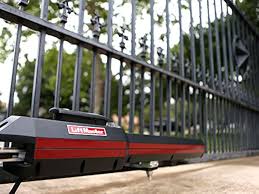
Automatic gate operator being inspected
Automatic Gate Repair

When the Gate Needs Professional Service

Call for service when the cause is not obvious from a safe visual inspection, the gate repeatedly reverses, the operator shows a safety or input fault, the gate binds mechanically, or electrical testing and programming are required.

Sensor Fault Remains

A monitored photo eye, edge or safety input will not return to normal.

Gate Reverses Repeatedly

Repeated reversal can indicate resistance, safety activation or operator-control problems.

Board Diagnosis Is Needed

Active inputs, programming, limits and electrical conditions may require direct testing.

Common Questions

Automatic Gate Won't Close FAQ

Why does my automatic gate open but not close?
Common causes include a blocked or faulted closing safety sensor, an active vehicle detector or open input, a disabled auto-close timer, a gate-position problem, physical gate resistance, or an operator or control-board fault.
Can a photo eye keep an automatic gate from closing?
Yes. A blocked, misaligned or faulted closing-direction photo eye can prevent automatic closing or cause a closing gate to stop or reverse, depending on the operator and installation.
Why does my gate start to close and then open again?
The operator may be responding to a safety sensor, reversing edge, vehicle detector, physical obstruction, excessive gate resistance or inherent obstruction detection.
Can a vehicle loop prevent my gate from closing?
Yes. Vehicle-detection equipment may be configured to prevent the gate from closing while a vehicle is detected in a protected area. A detector or input that remains active can also interfere with the closing cycle.
Why will my gate close manually but not automatically?
If the gate closes from a valid manual command but does not close automatically, possible causes include a disabled auto-close timer, a held-open input, vehicle detection, programming or a gate-position condition.
Can the auto-close timer be turned off?
Many gate operators allow automatic closing to be enabled, disabled or adjusted. When the timer is disabled, the gate may require a separate close command. Settings vary by operator.
Can a gate-position problem stop an automatic gate from closing?
Yes. If the controller does not correctly recognize the gate's position, normal automatic-close sequencing may be affected on some systems.
Can rain cause an automatic gate not to close?
Weather can contribute to sensor or electrical problems. Heavy rain can affect some photo-eye installations, and moisture-related faults should be diagnosed rather than bypassed.
Can weak batteries cause a gate to open but not close?
Weak batteries or charging problems can contribute to inconsistent gate operation, although a close-specific safety, control or gate-position problem may be more likely when the gate opens normally.
Should I bypass the safety sensor to make the gate close?
No. Do not bypass monitored safety equipment to force the gate to operate. Find and correct the sensor, wiring, alignment, obstruction or controller problem instead.
Is the problem different on a swing gate and a slide gate?
The electrical and safety causes can be similar, but the mechanical checks differ. Swing gates can have hinge, sag or actuator-geometry problems, while slide gates can have track, wheel, roller, chain or guide-hardware problems.
Can Dynamic Door Service repair a gate that opens but will not close?
Yes. Dynamic Door Service repairs automatic gate systems throughout its East Texas service area and can diagnose safety sensors, vehicle detection, access-control inputs, gate position, power, batteries, operator controls and mechanical gate problems.
Automatic Gate Repair • East Texas

Gate Opens but Won't Close?

Dynamic Door Service repairs residential and commercial automatic gate systems throughout East Texas. We can diagnose the operator, safety devices, vehicle detection, access controls, gate position, batteries, power system and mechanical gate movement.
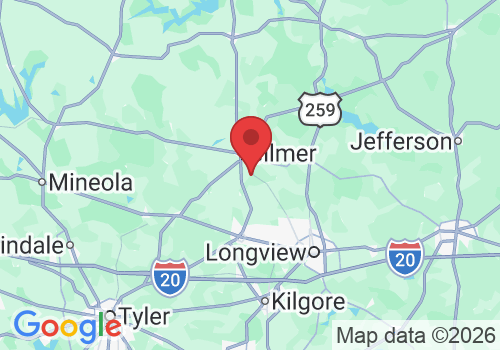
These are featured service-area pages. Dynamic Door Service serves many surrounding East Texas communities. Call 903-364-6364 to confirm service for your property.

Hours:

Mon – Sun 8:00am-6:00pm

24/7 Emergency Service Available

1613 Dove Rd, Gilmer, TX 75645, USA

Copyright 2026. DYNAMIC DOOR SERVICE TX LLC. All Rights Reserved.