A remote button, keypad code or other credential starts the access request.
24/7 EMERGENCY SERVICE AVAILABLE






Automatic Gate Access Troubleshooting
Gate Remote or Keypad Not Working
If your automatic gate will not respond to a remote or keypad, the gate operator may not be the failed component. Remote batteries, programming, keypad codes, receiver problems, wireless range, wiring, power or the operator's control input can all prevent an access command from reaching the gate.
Remote Not Working
Keypad Not Working
Receiver Problems
Programming
Range & Signal
Wiring & Power

Command Device
Remote • Keypad • Credential
Command Path
Receiver • Wiring • Operator
Quick Answer
Why Is My Gate Remote or Keypad Not Working?
First determine whether the problem affects one access device,
every remote or keypad, or the entire gate system.
If only one remote fails, start with that transmitter's battery, compatibility and programming. If all remotes fail but another control still opens the gate, the receiver, antenna, power or programming may need attention. If a keypad lights up or accepts the code but the gate does not move, the problem can be farther downstream in the keypad output, wiring, access controller or gate-operator input.
On This Page
Remote & Keypad Troubleshooting
01 How the Command Reaches the Gate
02 Safe First Checks
03 One Remote Does Not Work
04 No Remotes Work
05 Remote Range Is Poor
06 Keypad Is Completely Dead
07 Keypad Accepts Code
08 Codes & Programming
09 Receiver & Antenna
10 Power & Wiring
11 One Control Works
12 No Controls Work
13 What Not to Do
14 Professional Diagnosis
15 FAQ
Find Where the Command Stops
Stage 01
Command Device
Stage 02
Communication
Stage 03
Receiver or Controller
Stage 04
Gate Operator Input
A Remote or Keypad Is Only the Beginning of the Command Path
When an automatic gate does not respond, diagnosis should determine whether the access command was created, received, transferred and accepted by the gate operator.
The command travels by compatible radio signal, wiring or another communication method.
The receiving equipment identifies or processes the command and provides the appropriate output.
The gate operator receives the command and decides whether system conditions allow the requested movement.
Start With Simple Comparisons
Safe First Checks Before Reprogramming Anything
Comparing which controls still work can often narrow the failure before access codes or receiver programming are changed.
Compare Access Devices
- Try another known-working remote if one is available.
- Try the keypad separately.
- Notice whether the keypad lights or responds to button presses.
- Note whether the gate works from another authorized control.
- Check whether the problem affects one user or everyone.
Notice the Pattern
- Does the remote work only when very close to the gate?
- Did the problem begin after a battery replacement?
- Was the receiver or control board recently changed?
- Did codes stop working after programming changes?
- Did the issue begin after storms or electrical work?
Keep the gate travel area clear while testing controls.
Programming procedures can cause gate movement on some systems. Do not
bypass safety equipment or reach through a moving-gate area to operate
a keypad or control.
One Failed Remote Is a Useful Clue
Remote Battery
Programming
Compatibility or Damage
If Other Remotes Work, Start With the Individual Transmitter
When one remote fails but other authorized remotes still operate the gate normally, the common receiver and gate operator are less likely to be the first place to look.
A weak or depleted transmitter battery can cause no response or reduced operating range.
The transmitter may no longer be learned or authorized by the receiver.
A replacement remote must match the receiver system, and physical transmitter damage can also prevent reliable operation.
Multiple Failed Remotes Change the Diagnosis
Receiver Power
Receiver Programming
Antenna / Signal Path
Operator Connection
If No Remotes Work, Look at the Shared Radio System
When several previously working remotes stop operating the gate at the same time, the shared receiver, antenna, receiver power, programming or connection to the operator becomes more important to investigate.
An external receiver cannot process commands if its intended power supply is missing.
Programming may have been changed, reset or erased depending on the installed equipment.
Antenna condition and placement can affect usable remote range.
The receiver may detect the transmitter but fail to deliver the intended command to the gate operator.

Remote Access
If every remote fails, the common receiver system deserves attention.
Works Close Up but Not From the Driveway?
Weak Remote Battery
Antenna Condition
Interference
Receiver Condition
Reduced Remote Range Can Be a Signal Problem
A transmitter may still work nearby while becoming unreliable at normal operating distance.
Receiver antenna damage, connection problems or poor positioning can affect reception.
Nearby RF sources or environmental conditions can sometimes reduce usable wireless range.
A receiver can develop a fault that affects sensitivity or response.
No Lights, Beeps or Response
Keypad Battery
External Power
Device or Wiring Failure
A Completely Dead Keypad Usually Starts With Power or the Device Itself
Keypads can be battery powered, externally powered or connected through another access-control system depending on the equipment installed.
Wireless keypad models may rely on an internal replaceable battery.
Wired access equipment may require an external AC or DC supply specified for that device.
Outdoor exposure, damaged wiring, moisture or internal component failure can prevent the keypad from powering normally.

Keypad Response Is Only One Step
A keypad can accept input while the command fails farther downstream.
The Keypad May Be Working
Keypad Output
Wiring or Wireless Link
Access Controller
Operator Input
Keypad Accepts the Code but the Gate Does Not Open
A light, beep or accepted code can show that part of the keypad is responding, but it does not prove the gate operator received an opening command.
The keypad or controller must generate the intended output after accepting an authorized code.
That command must reach the next device in the access-control chain.
Managed systems may involve another controller between the keypad and operator.
The final command still has to reach and be recognized by the gate operator.
A Valid Device Can Still Have Invalid Programming
Code Removed or Changed
Temporary Credential Expired
Receiver Memory Changed
Keypad Codes and Receiver Programming Are System-Specific
An individual user code may have been deleted, changed or expired depending on the access system.
Systems that support temporary access may stop accepting a code after its programmed use period.
Remotes or wireless keypads may need to be learned into the receiver using the correct model-specific procedure.
Be careful with “erase all” or factory-reset procedures. Some receiver
programming procedures can remove every paired remote or keypad rather
than only the failed device.
The Receiver Is the Other Half of the Remote System
Receiver Power
Antenna
Programming
Output to Operator
A Good Remote Cannot Operate Through a Failed Receiver
Remote troubleshooting should include the equipment that receives, recognizes and transfers the transmitter command.
Verify that the receiver is receiving its intended power.
Check for visible antenna damage or connection problems.
Confirm that authorized transmitters remain learned or enrolled.
The receiver must still transfer the correct command to the gate-control system.
Outdoor Access Equipment Lives in a Harsh Environment
Power and Wiring Can Stop an Otherwise Good Keypad or Receiver
Wired access devices depend on a complete electrical and command path. Outdoor wiring, terminals and connections can be affected by moisture, corrosion, physical damage, landscaping, insects or previous service work.
Loss of device power can leave a keypad or receiver completely dead.
Loose control wiring can create intermittent access problems.
Corrosion can create unreliable electrical connections.
A device can appear functional while its command-output wiring is
disconnected or damaged.
Comparison Testing Is Powerful
Remote Works, Keypad Does Not
Keypad Works, Remotes Do Not
Local Control Works
If One Control Works, the Gate Operator May Be Fine
Focus on keypad power, code programming, keypad output and its communication path.
Focus on transmitters, receiver power, programming, antenna and radio-system response.
If another authorized control operates the gate normally, the failed access device or its communication path becomes a stronger suspect.
This May Be Bigger Than an Access-Control Problem
If the Gate Responds to No Command Source
If remotes, keypads and other normal controls all stop operating the gate, diagnosis should expand beyond access equipment. The gate operator may have a power, battery, control, limit, safety-device or mechanical problem that prevents it from responding to otherwise valid commands.
Avoid Creating a Bigger Access Problem
Do Not
Factory Reset First
Do Not
Buy a Random Remote
Do Not
Bypass Gate Safety Equipment
What Not to Do When a Remote or Keypad Stops Working
A reset can erase programming or affect other authorized users depending on the equipment.
Remote frequency, coding and receiver compatibility are system-specific.
A gate that will not move should not be forced into operation by defeating required safety devices.
Follow the Command From Start to Finish
Step 1
Test Multiple Controls
Step 2
Verify Device Operation
Step 3
Test Receiver / Controller
Step 4
Trace the Output
Step 5
Evaluate Operator Response
Step 6
Correct the Actual Failure
Professional Remote & Keypad Diagnostic Process
The objective is to identify where the access command stops rather than replacing a keypad, remote, receiver or operator based only on the symptom.
Compare remotes, keypad and other authorized command sources.
Check transmitter or keypad power, response and programming.
Confirm power, communication and response from the receiving equipment.
Determine whether the access-control command reaches the gate operator.
Confirm whether the operator accepts the command or has another system condition preventing movement.
Repair programming, power, wiring, receiver, access equipment or operator issues as appropriate.
Complete-System Diagnosis
The failed component may be the access device, receiver, wiring or operator input.
Gate Access Diagnostics • East Texas
No Remotes Work
Keypad Accepts Code
No Control Works
When a Remote or Keypad Problem Needs Professional Diagnosis
Service makes sense when multiple controls stop working, receiver or control wiring needs testing, programming is unknown or the gate does not respond even though the access device appears to function normally.
Receiver power, programming, antenna or output problems may need diagnosis.
The access command may be failing after the keypad.
The problem may involve the gate operator or another system condition rather than access equipment alone.
Common Questions
Gate Remote or Keypad Not Working FAQ
Why is my automatic gate remote not working?
Possible causes include a weak remote battery, lost programming,
transmitter damage, incompatible equipment, reduced wireless range,
receiver problems or an issue farther downstream in the gate system.
Why does one gate remote work but another does not?
When one remote works normally and another does not, start with the
failed transmitter's battery, programming, compatibility and physical
condition before assuming the common receiver or gate operator has
failed.
Why did all of my gate remotes stop working?
If several previously working remotes fail at the same time, the
receiver, receiver power, antenna, programming or connection between
the receiver and gate operator may need diagnosis.
Why does my gate remote only work when I am close to the gate?
Reduced range can be associated with a weak transmitter battery,
antenna problems, receiver condition, interference or other
radio-system conditions.
Why is my gate keypad completely dead?
Depending on the keypad, possible causes include a depleted internal
battery, loss of external power, damaged wiring, moisture, corrosion or
failure of the keypad itself.
Why does my keypad accept the code but the gate does not open?
The keypad may be accepting the credential while the command fails at
its output, wiring, access controller, receiver or the gate operator's
control input.
Can a gate keypad lose its programming?
Programming can be changed, deleted or reset depending on the
equipment. The correct troubleshooting and reprogramming procedure
depends on the exact keypad, receiver and access-control system.
Can I use any remote with my automatic gate?
No. Remote compatibility depends on the receiver system, radio
technology, coding method and equipment manufacturer. A replacement
transmitter should be confirmed compatible with the installed receiver.
Should I factory reset my gate keypad or receiver?
Not as a first troubleshooting step. A reset or erase procedure can
remove authorized codes or transmitters depending on the equipment, so
the exact manual and current programming should be understood first.
Can a bad receiver keep my gate remote from working?
Yes. The receiver must have proper power, recognize the compatible
transmitter and send the intended command to the gate-control system.
If no gate controls work, is the keypad still the problem?
Not necessarily. If remotes, keypads and other command sources all
fail, the gate operator may have a power, battery, control, safety,
limit or mechanical problem that prevents it from responding.
Can Dynamic Door Service repair gate remotes and keypads?
Yes. Dynamic Door Service provides automatic gate diagnostics
throughout its East Texas service area and can evaluate compatible
remotes, keypads, receivers, access controls, wiring and their
connection to the gate operator.
Gate Access Control Repair • East Texas
Remote or Keypad Still Not Working?
Dynamic Door Service provides automatic gate and access-control diagnostics throughout East Texas. We can evaluate compatible remotes, keypads, receivers, power, wiring, control inputs and the gate operator to determine where the command is being lost.
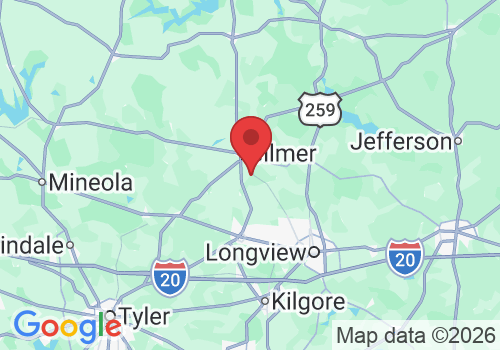
These are featured service-area pages—not our complete service area.
Dynamic Door Service serves many surrounding East Texas communities.
Call 903-364-6364 to confirm service for your property.
Every gate service visit includes a complete inspection of the
applicable gate system and safety equipment.
Hours:
Mon – Sat 8:00am-6:00pm
Sunday- Emergency Service Only
24/7 Emergency Service Available


Copyright 2026. DYNAMIC DOOR SERVICE TX LLC. All Rights Reserved.