Reduced usable capacity can cause a battery to lose charge quickly or drop excessively under gate-operating load.

24/7 EMERGENCY SERVICE AVAILABLE






Automatic Gate Battery Troubleshooting
Gate Operator Battery Keeps Dying
If your automatic gate battery keeps going dead—even after charging or replacement—the battery may only be part of the problem. Charging faults, wiring, accessory demand, high gate usage, mechanical resistance and power-source problems can all contribute to repeated battery discharge.
Battery Keeps Dying
Charging Problems
AC Power
Solar Charging
Accessory Draw
Gate Resistance

Battery Goes Dead Again
Find Out Why It Is Losing Charge
Complete Power System
Battery • Charger • Load • Gate
Quick Answer
Why Does My Gate Operator Battery Keep Dying?
A gate battery that repeatedly goes dead may not be receiving enough
charge, may no longer store energy properly, or the gate system may
be consuming more power than the charging system can replace.
Possible causes include an aging or damaged battery, failed or inadequate AC or solar charging, loose or corroded connections, accessory power draw, frequent gate cycles, mechanical gate resistance or another electrical fault. Repeatedly replacing the battery without checking the complete power system can allow the same problem to return.
On This Page
Repeated Gate Battery Drain Troubleshooting
01 Common Causes
02 Battery or System Problem?
03 Aging Battery
04 AC Charging Problems
05 Solar Charging Problems
06 Wiring & Connections
07 Accessory Power Draw
08 Gate Usage & Cycles
09 Mechanical Load
10 Environment
11 New Battery Dies Again
12 Safe Checks
13 What Not to Do
14 Professional Diagnosis
15 FAQ
Repeated Discharge Has a Cause
Cause 01
Aging or Damaged Battery
Cause 02
Charging Failure
Cause 03
Wiring or Connections
Cause 04
Accessory Demand
Cause 05
Gate Usage
Cause 06
Mechanical Resistance
Common Reasons a Gate Battery Keeps Going Dead
The goal is to determine whether the system has a storage problem, a charging problem or a demand problem. More than one condition can exist at the same time.
Incoming AC or solar energy may not be reaching or charging the batteries correctly.
Loose, damaged or corroded connections can interfere with both charging and battery output.
Keypads, receivers, communication equipment and other connected devices may add continuous electrical demand.
Frequent gate cycles increase the amount of energy the charging system must replace.
A gate that drags, binds or has damaged moving hardware can require more operator effort and electrical energy.
Do Not Diagnose From the Battery Alone
Energy Storage Problem
Energy Replacement Problem
Excessive Demand Problem
Is the Battery Bad—or Is the System Killing the Battery?
A repeatedly discharged battery can be the failed component, but it can also be the symptom of another problem elsewhere in the gate system.
The battery no longer accepts, stores or delivers enough usable energy for normal gate operation.
The charging source or charging circuitry is not replacing the energy consumed by the system.
The gate, operator or connected equipment is using more energy than the system can reliably support.
A battery replacement can temporarily restore operation in all three
situations. That is why a gate working again after a new battery does
not automatically prove the old battery was the only problem.
Voltage Alone Does Not Tell the Whole Story
Works After Charging
Voltage Drops Under Load
Low-Battery Warnings Return
Read the Complete Automatic Gate Battery Guide →
The Battery May No Longer Have Enough Usable Capacity
A gate battery can show electrical voltage while resting and still perform poorly when the motor places it under operating load.
The gate temporarily returns to normal but the improvement does not last.
Battery performance changes substantially once the operator begins moving the gate.
Operator diagnostics repeatedly identify low-voltage or battery-related conditions.
AC at the Property Does Not Guarantee Battery Charging
Incoming Power
Transformer or Power Supply
Charging Circuitry
Fuses, Breakers & Connections

The Gate Can Have Power While the Battery Still Is Not Charging Correctly
Depending on the operator, incoming AC may pass through a transformer, power supply, charger or onboard charging circuitry before it reaches the battery system. A failure anywhere along that path can leave the batteries undercharged even though power appears to be available at the gate.
Confirm that the operator's charging system is actually receiving its intended electrical supply.
A failed power-supply component can prevent the correct charging voltage from reaching the battery system.
The operator may use onboard charging electronics or another charging component that can develop its own fault.
Protective devices, terminals, connectors and wiring can interrupt the charging path even when another part of the system still has electrical power.
Complete Gate Power System
Power at the Property Is Only One Part of the Charging Path
The operator, charging components, wiring and batteries must work together for the system to maintain reliable battery charge.
A gate may continue operating for a while after its charging
source fails. The operator can continue using energy already
stored in the batteries until the remaining charge becomes too low for
reliable operation.
Solar Must Replace the Energy the Gate Uses

Insufficient Sunlight
Panel or Wiring Problem
Charging-System Fault
Demand Exceeds Supply
Solar Gate Batteries Can Die When Charging Cannot Keep Up With Demand
A solar panel being present—or even producing voltage—does not by itself prove that the complete battery system is receiving enough usable charging energy. The panel, charging system, batteries, wiring, gate usage and connected equipment all work together as one power system.
Solar-Powered Gate System
The Panel Is Only One Part of the Charging System
Solar exposure, charging equipment, batteries, wiring and total electrical demand all affect whether the system can maintain enough stored energy.
Shade, panel placement, seasonal changes and surrounding vegetation can reduce the solar energy available for charging.
Damage, loose connections or wiring problems can prevent available solar energy from reaching the charging system correctly.
The solar panel may be producing energy while another part of the charging path fails to deliver the correct charging output to the batteries.
Gate cycles and connected accessories can consume more stored energy than the solar charging system is able to replace.
Do not judge a solar charging system from panel voltage alone.
The important question is whether the complete system is providing
enough charging energy to maintain the batteries under the property's
actual gate usage and accessory demand.
Read the Solar vs. AC Gate Operators Guide →
Charging Depends on a Complete Electrical Path
Loose or Corroded Connections Can Create Battery Problems
Battery, charger and power-source connections must carry current reliably. Outdoor gate equipment is exposed to moisture, temperature, vibration and environmental conditions that can affect electrical connections over time.
Loose battery terminals can interfere with charging and operator
performance.
Corrosion can increase electrical resistance and create unreliable
connections.
Damaged wires or connectors can interrupt the charging path.
A poor connection can create an intermittent problem that appears
and disappears as equipment moves or conditions change.
The Motor Is Not the Only Electrical Load
Radio Receivers
Keypads & Entry Systems
Safety Equipment
Connected Technology
Connected Accessories Can Add Continuous Battery Demand
Depending on how the gate system is designed, the power system may also support access controls, receivers, safety equipment and communication devices while the gate itself is not moving.
Receiver equipment may require standby power while waiting for an access command.
Access-control equipment adds to the total electrical demand.
Connected monitored safety devices require proper power to remain functional.
Communication or management equipment can add additional standby consumption.
The correct question is not simply whether an accessory uses power. The
complete power system must be designed to support the gate operator and
the connected equipment installed at that property.
Every Gate Cycle Uses Stored Energy
More Daily Traffic
Longer Gate Travel
Changed Property Use
High Gate Usage Can Exceed Available Charging Capacity
Battery-powered systems must replace the energy consumed during normal operation. If gate usage increases significantly, the charging system may have less opportunity or capacity to restore the battery between cycles.
Additional entries and exits increase the energy the operator must use.
Operating demand depends partly on how much work the system performs during each cycle.
A property that now has more vehicles, tenants, employees or deliveries may place different demands on the original system.
Do not apply a universal number of “safe cycles per day” to every gate.
Battery size, charging equipment, gate resistance, operator design and
site conditions are model- and installation-specific.
The Battery Has to Move the Physical Gate
Swing-Gate Resistance
Slide-Gate Resistance
Gate Stops or Slows
A Dragging Gate Can Increase Electrical Demand
Battery diagnosis should include the physical gate. A system that works normally with a freely moving gate may struggle when hinges, rollers, wheels, alignment or other hardware creates unnecessary resistance.
Worn hinges, sagging, ground contact or changing actuator geometry can increase the effort needed to move the gate.
Wheels, rollers, guides, chain components, track conditions or alignment can increase operator load.
A weak battery and a mechanically difficult gate can combine to create slow movement or incomplete travel.
Gate Batteries Live Outdoors
Temperature
Moisture & Corrosion
Enclosure Condition
Temperature and Environmental Conditions Can Affect Battery Performance
Battery performance and available stored energy can change with operating and ambient temperature.
Water intrusion or environmental exposure can contribute to electrical and connection problems.
Damaged or poorly protected equipment enclosures should be addressed so batteries and electrical components remain properly protected.
This Is a Strong Diagnostic Clue
Why Did the New Gate Battery Die Too?
When a properly specified replacement battery also becomes undercharged unusually quickly, diagnosis should move beyond simply installing another battery.
Verify that the battery is actually being charged correctly.
Check whether AC or solar charging is reaching the battery system.
Inspect electrical connections and the charging path.
Consider connected equipment and standby electrical demand.
Compare gate usage with the system's intended charging capacity.
Check whether the physical gate is creating excessive operator load.
Gather Clues Without Guessing
Safe Things to Check When a Gate Battery Keeps Going Dead
You can gather useful information before service without changing charging settings or working inside energized electrical equipment.
Observe the Gate
- Notice whether gate speed becomes slower before failure.
- Watch for incomplete travel or unexpected stopping.
- Listen for unusual motor strain or gate dragging.
- Note how long the system works after charging.
- Record any visible low-battery or charging warning.
Look at the Power System
- Look for obviously loose or corroded visible battery connections.
- Notice whether AC power has recently been interrupted.
- For solar systems, look for new shade or obvious panel damage.
- Note any recently added keypad, receiver or other equipment.
- Consider whether gate traffic has increased recently.
Battery and charging procedures vary by operator.
Avoid shorting terminals, bypassing protective devices or changing
charging equipment without the correct specifications and service
procedure for the installed system.
Avoid Repeating the Same Failure
Do Not
Keep Replacing Batteries Blindly
Do Not
Install Whatever Battery Fits
Do Not
Ignore Mechanical Problems
What Not to Do When a Gate Battery Keeps Dying
A new battery may temporarily restore operation without correcting the charging or demand problem that discharged the previous one.
Use the battery type, voltage, quantity and capacity specified for the exact operator system.
A dragging or binding gate can increase operator demand and make an electrical problem appear worse.
Find Out Where the Energy Is Going
Step 1
Identify the Power Architecture
Step 2
Evaluate Battery Condition
Step 3
Test the Charging Path
Step 4
Review System Demand
Step 5
Inspect Gate Movement
Step 6
Correct the Actual Cause
How a Technician Can Diagnose Repeated Gate Battery Drain
The objective is to determine whether the battery is failing, the charging system is not replenishing it, or the gate system is consuming more power than expected.
Determine how the specific operator uses batteries and whether charging comes from AC, solar or another approved configuration.
Check battery behavior, connections and performance under operating conditions.
Evaluate the applicable power source, charger, supply components, wiring and charging output.
Consider gate cycles, accessories and other connected electrical equipment.
Look for hinges, rollers, wheels, alignment or other conditions increasing operator load.
Repair the battery, charging, wiring, mechanical or demand problem responsible for repeated discharge.
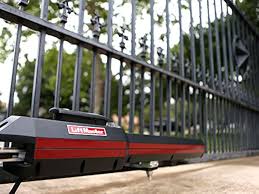
Real Gate-System Diagnosis
Battery Problems Should Be Diagnosed as Part of the Complete System
Battery condition, charging, wiring, operator demand and physical gate movement can all affect reliable operation.
Automatic Gate Battery Service • East Texas
Battery & Charging
Electrical Demand
Physical Gate
Replaced the Battery and It Went Dead Again?
Dynamic Door Service can evaluate the complete gate power system instead of continuing to replace batteries without identifying why they are losing charge.
Evaluate battery condition and the AC or solar charging path.
Consider accessories, controls, gate usage and connected equipment.
Check for drag, binding, alignment and other conditions increasing operator demand.
Common Questions
Gate Operator Battery Keeps Dying FAQ
Why does my gate operator battery keep dying?
Possible causes include an aging or damaged battery, inadequate AC or
solar charging, loose or corroded connections, accessory power draw,
frequent gate cycles, mechanical gate resistance or another electrical
problem in the gate system.
Why does a new gate battery keep going dead?
If a properly specified replacement battery also becomes undercharged,
the charging source, charging circuitry, wiring, system demand and
physical gate should be evaluated instead of simply replacing the
battery again.
How do I know if my gate battery or charger is bad?
Battery condition and charging performance should be tested as part of
the complete system. A resting battery reading alone does not determine
whether the battery can support the operator under load or whether the
charging system is replenishing it correctly.
Can AC power be on while my gate battery is not charging?
Yes. Depending on the operator, AC power may pass through a transformer,
power supply, charger or onboard charging circuitry before reaching the
battery. A failure anywhere in that charging path can prevent proper
charging.
Can a solar gate battery keep dying even if the solar panel works?
Yes. A panel producing energy does not prove that enough usable charging
energy is reaching the battery. Panel placement, sunlight, wiring,
charging circuitry, battery condition and total system demand should
also be considered.
Can gate accessories drain the battery?
Yes. Depending on the system, receivers, keypads, entry equipment,
communication devices and other connected accessories can add
electrical demand that the power system must support.
Can high gate usage cause the batteries to stay low?
Frequent gate cycles increase the amount of energy the charging system
must replace. Whether usage is excessive depends on the operator,
battery system, charging capacity, gate load and installation.
Can a dragging gate make the battery go dead faster?
A gate that drags, binds or has damaged moving hardware can increase
operator effort and electrical demand, reducing the available battery
reserve.
Can corroded battery connections cause charging problems?
Yes. Loose, damaged or corroded electrical connections can interfere
with charging and with the battery's ability to deliver power reliably
to the operator.
Should I just replace the gate battery again?
If batteries repeatedly become weak or discharged, the complete power
system should be evaluated so a charging, wiring, load or mechanical
problem is not repeatedly damaging or discharging replacement
batteries.
How often should automatic gate batteries be replaced?
There is no single replacement interval for every automatic gate
battery. Battery type, charging, temperature, gate usage, system demand
and manufacturer requirements all affect service life.
Can Dynamic Door Service diagnose a gate battery that keeps dying?
Yes. Dynamic Door Service provides automatic gate diagnostics and
repair throughout its East Texas service area and can evaluate the
battery, charging system, wiring, operator, accessories, safety
equipment and physical gate.
Automatic Gate Battery Service • East Texas
Gate Battery Keeps Going Dead?
Dynamic Door Service provides automatic gate diagnostics and repair throughout East Texas. We can evaluate the battery, AC or solar charging system, wiring, operator, connected equipment and physical gate to determine why the battery is repeatedly losing charge.
These are featured service-area pages—not our complete service area.
Dynamic Door Service serves many surrounding East Texas communities.
Call 903-364-6364 to confirm service for your property.
Every gate service visit includes a complete inspection of the
applicable gate system and safety equipment.
Hours:
Mon – Sat 8:00am-6:00pm
Sunday- Emergency Service Only
24/7 Emergency Service Available



Copyright 2026. DYNAMIC DOOR SERVICE TX LLC. All Rights Reserved.